Enhance your workflow: create custom /commit commands in OpenCode
Monday 24 August 2026 Thibault Debatty 1130 views
https://cylab.be/blog/515/enhance-your-workflow-create-custom-commit-commands-in-opencode
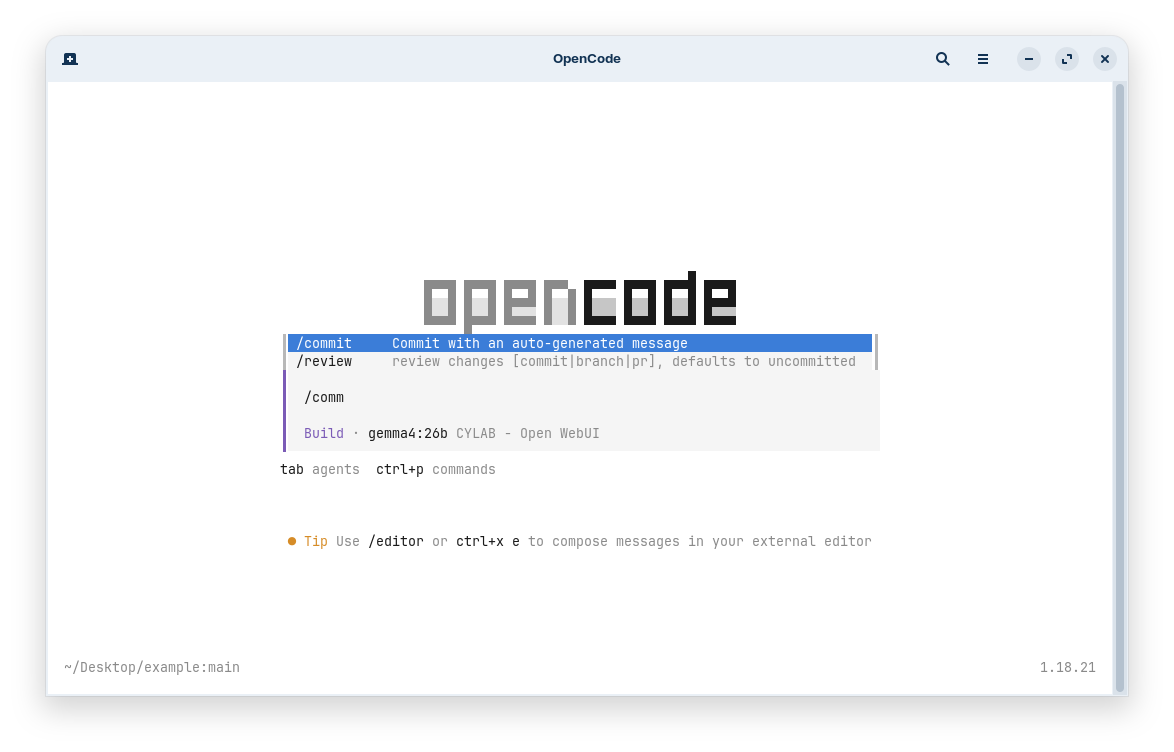
Next to its native powerful capabilities, OpenCode allows to easily create new slash commands. We’ll illustrate this by creating a /commit command.
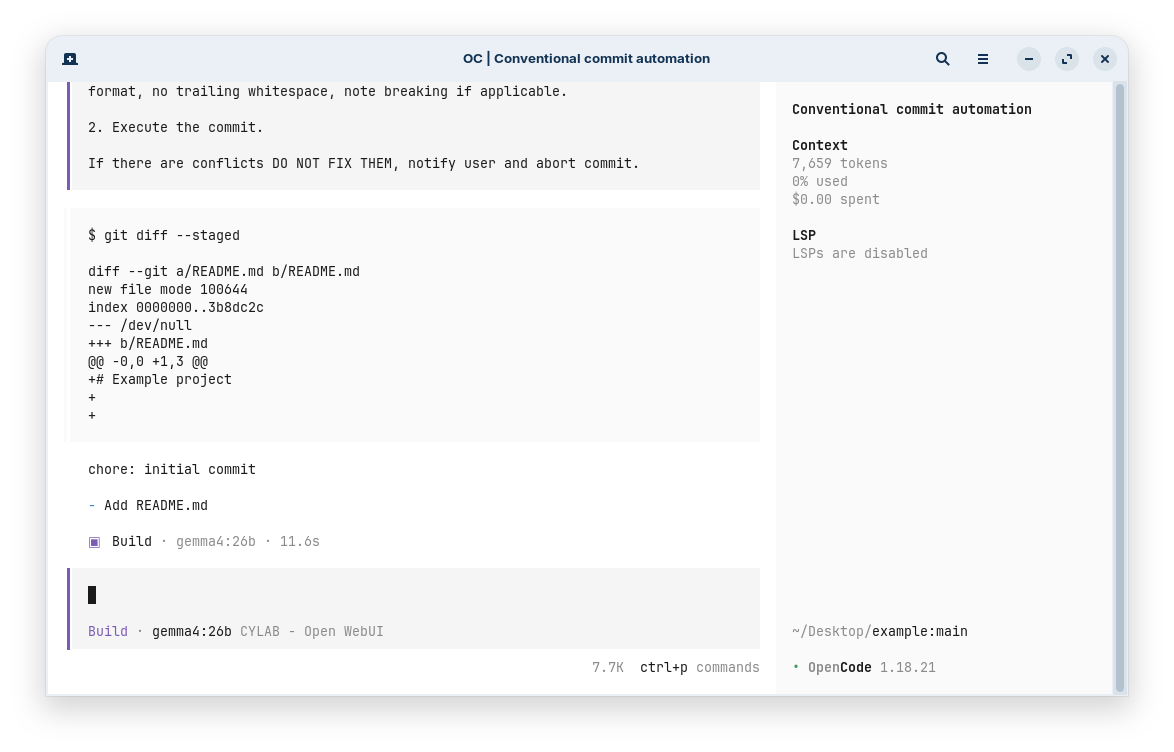
Custom commands can save you time and reduce errors by automating repetitive tasks. The /commit command we’ll create will analyze your staged changes and generate a suitable commit message, then execute the commit command.
Create the commands directory if needed:
mkdir -p ~/.config/opencode/commands
Then create the file ~/.config/opencode/commands/commit.md with the following content. You can obviously tune to your taste…
---
description: Commit with an auto-generated message
agent: build
---

Review the staged changes to generate a suitable commit message, then execute the commit command.

1. Analyze the changes and generate a proper commit message.

Use Conventional Commits v1.0.0 format with this structure:
<type>(optional scope): <short summary>

<detailed bullet points (one per line)>

Use only these prefix types:
- feat: New feature or functionality
- fix: Bug fix
- docs: Documentation-only changes
- style: Code style changes (no logic change)
- refactor: Code changes neither fixing bug nor adding feature
- perf: Performance improvements
- test: Adding or correcting tests
- build: Changes to build system, dependencies, CI/CD
- chore: Maintenance, tooling, config
- ci: CI configuration and scripts
- revert: Reverting a previous commit

Short summary: Imperative present tense (add, fix, update), start lowercase, no period.

IMPORTANT: the total length of the first line (the summary line) must not exceed 50 chars and the total length of subsequent lines must not exceed 72 characters.

Detailed bullets: Start after blank line, one change per bullet, start with capital letter, use dash (-), no period unless multiple sentences, focus on what/why.

2. Execute the commit command:

!`git commit -m <message>`

If there are conflicts DO NOT FIX THEM, notify user and abort commit.
Restart OpenCode and enjoy your new command…
References
This blog post is licensed under
CC BY-SA 4.0


