Install Volatility on Debian, Ubuntu & Mint
Wednesday 7 October 2020 Thibault Debatty 29703 views
https://cylab.be/blog/98/install-volatility-on-debian-ubuntu-mint
In this blog post we show how to install the latest (GIT) version of Volatility memory forensics framework on Debian, Ubuntu or Mint.

Requirements
The ‘stable’ version of Volatility requires python 2. There is a port for python 3, but at the time of writing it is still under development: https://github.com/volatilityfoundation/volatility3
So for now the requirements for installing volatility are:
- python 2
- distorm3 and pycrypto
python 2
First, check the installed version of python:
python --version
If it’s not python 2, you will have to install it:
sudo apt install python2.7
distorm3 and pycrypto
To install distorm3, we will first need pip, and a few other tools and libraries:
sudo apt install python-pip python-setuptools build-essential python2-dev
Now we can install distorm3, but we need version 3.4.4 because more recent versions (3.5) do not support volatility anymore:
sudo pip2 install distorm3==3.4.4 pycrypto
Installation
To install you can simply clone the GIT repository of Volatility:
sudo apt install git
git clone https://github.com/volatilityfoundation/volatility.git
chmod +x volatility/vol.py
I like to have my manually installed apps in /opt, so I will move volatility there, and create a symlink to make it globally available:
sudo mv volatility /opt
sudo ln -s /opt/volatility/vol.py /usr/bin/vol.py
Make sure vol.py uses Python2
By default, vol.py specifies that the script should be run with Python, but without specifying a version:
#!/usr/bin/env python
This can lead to errors if you system is configured to use Python 3, or if no default version is set (/usr/bin/env: ‘python’: No such file or directory).
To make sure Python 2 is used, modify the first line of /opt/volatility/vol.py as follows:
#!/usr/bin/env python2
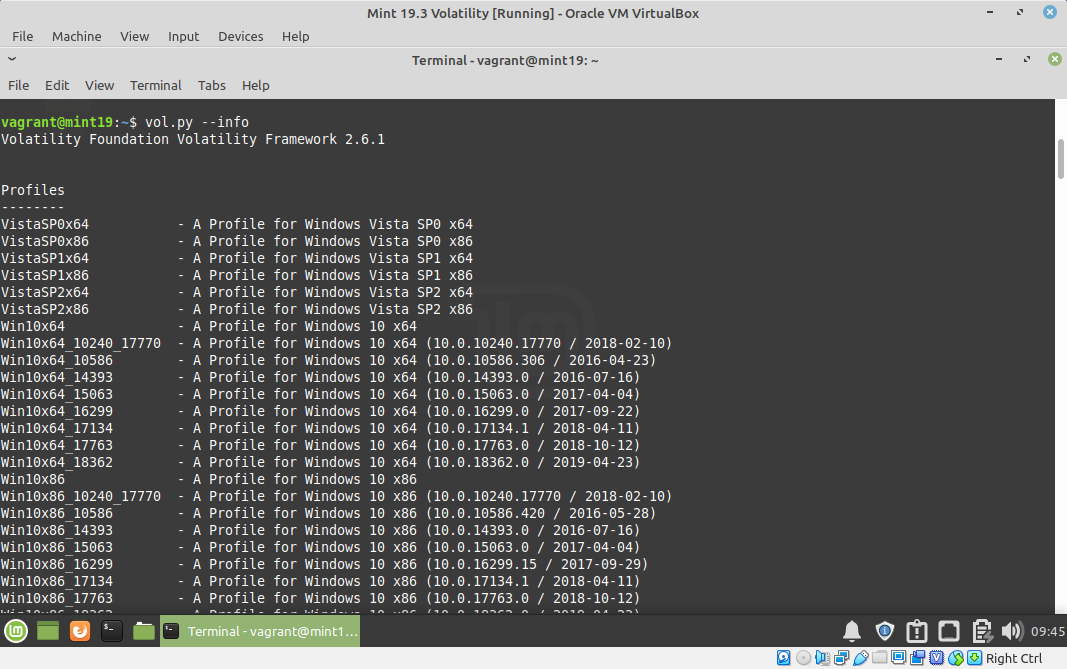
Test
vol.py --info
This blog post is licensed under
CC BY-SA 4.0


